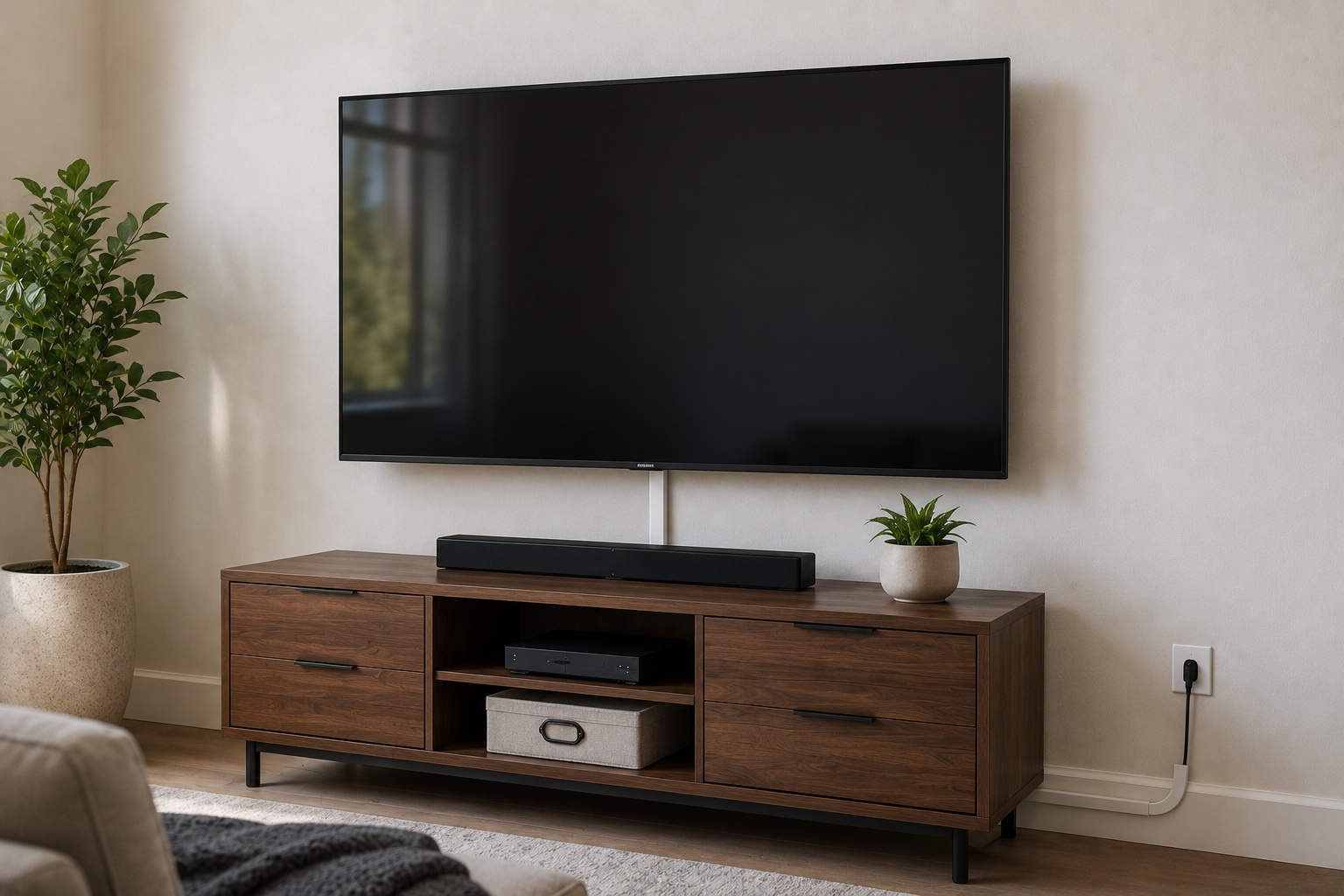
Different Ways to Hide TV Cords and Create a Clean Setup
TV Mounts & Mounting Service | Blog
Category: TV Mounting | Location: Miami, FL | Read time: ~5 min
Different Ways to Hide TV Cords and Create a Clean Setup
By Jose A. • Founder, TV Mounts & Mounting Service • 10+ years in AV and home theater installation across Miami
Every time I finish mounting a TV, there’s a moment where the customer steps back and looks at the wall. The TV looks great. Then their eyes drop to the cables hanging down from it and the mood shifts a little. I’ve seen it happen on hundreds of jobs across Miami. The mount was the plan. The cables were an afterthought.
The good news is there’s a clean solution for almost every situation — drywall, concrete, rental, condo, doesn’t matter. You just need to know which option fits your wall and your goals. Here’s how I walk customers through it.
Option 1: Running cables inside the wall
This is the one that makes people say “how is there not a single wire showing?” Two small openings — one behind the TV, one near the power outlet below — and all your cables disappear inside the wall. From the front of the room, there’s nothing to see. Just the screen.
It’s the most popular add-on we do, and I understand why. The difference between a mounted TV with cables hanging down and one with clean in-wall routing is significant. It’s the difference between a setup that looks finished and one that still feels like a work in progress.
A few things worth knowing about this option. First, it only works on drywall. If your walls are concrete — which is most Miami condos, high-rises, and a lot of the older construction you find in areas like Coral Gables and Miami Beach — you can’t run cables inside them the same way. We’ll get to that. Second, this method handles your TV’s signal and data cables: HDMI, audio, streaming devices. It does not create a new power outlet. What we do is route the power cord through the wall to an existing outlet nearby, which keeps it out of sight without any electrical work. If there’s no outlet close enough to the TV, a licensed electrician needs to add one before we can complete the concealment.
The planning piece matters here too. I always ask customers what else they’re going to connect before we run anything. A soundbar, a gaming console, a streaming box — those cables need to be accounted for upfront. Going back into the wall later to add more is a bigger job than doing it right the first time.
In-wall cable routing on drywall is the upgrade I’d recommend on almost every job. It’s not expensive, it takes about 30 to 45 minutes, and it completely changes how the setup looks. If your walls are drywall and you’re not doing this, you’re leaving the best part of a mounted TV on the table.
Option 2: Surface cable covers
This is the right solution when the wall is concrete, which in Miami means a large portion of the market. High-rises in Brickell, buildings throughout Miami Beach, most mid-century construction, older homes across the county — concrete walls are the norm here, not the exception. And you simply cannot cut into concrete the same way you would drywall.
What we use instead is a slim plastic channel that mounts to the wall surface and houses the cables inside it. It runs from the TV down to the outlet, keeps everything organized, and when it’s painted to match the wall color it becomes much less visible than most people expect. I’ve done jobs in Brickell high-rises where customers couldn’t point to the cable cover after it was painted. It’s not the same result as in-wall routing, but it’s a real improvement over cables hanging loose.
The practical advantages of this option are significant for Miami renters and condo owners specifically. It doesn’t require opening the wall, it works on any surface, and it can be removed without leaving damage behind. If your building has strict rules about wall modifications — and many Miami HOAs do — surface covers are usually the approved approach.
The honest trade-off: it’s not invisible. If you look at the wall you’ll see the channel. But compared to a loose bundle of cables, it’s a significant step up, and on a painted-to-match wall in a concrete building it’s the cleanest option available.
Option 3: A dedicated outlet behind the TV
This is the premium option and the one people picture when they imagine the truly seamless setup — no power cord at all, just a TV floating on the wall with nothing visible behind it. It’s a clean result when it’s done right.
The catch is that this requires a licensed electrician. Installing a new outlet behind the TV means running new wiring through the wall and connecting it to your home’s electrical system. That’s not something we do, and it’s not something you want done without proper licensing and permits, especially in Miami-Dade where inspections are taken seriously. Typical cost from an electrician runs $150 to $400 depending on the complexity of the run and how accessible the walls are.
There’s also something people consistently miss about this option: it only solves the power cord. Your HDMI cables, audio cables, and connections to any other devices still need to be dealt with separately. A dedicated outlet behind the TV plus in-wall cable routing for data cables is the full solution, but that’s two separate jobs. Worth it for the right setup, but worth planning for the full picture before you start.
Which one makes sense for your situation
After 10 years of doing this across Miami, the decision usually sorts itself out quickly:
Drywall walls: in-wall routing almost every time. It’s the cleanest result and the most cost-effective upgrade we offer. Starts at $40 as an add-on to any standard installation.
Concrete walls: surface cable covers, professionally installed and painted to match if you want. We handle this on the same visit as the mounting job.
Want no power cord at all: bring in an electrician first for the outlet, then we handle the rest. Two steps, but the result is completely seamless.
Renter or HOA building: surface covers are usually the right call. No wall damage, no modifications that need approval, easy to remove when you move.
The customers I hear from a year later who are happiest with their setup are the ones who thought through everything they were going to connect before the first hole was drilled. The ones I hear from who are frustrated skipped that conversation.
Things worth thinking through before we start
The most common cable management problems I see come from not planning ahead. Before any job, I always ask:
What devices are connecting to the TV now, and what might connect later?
Is there a soundbar in the picture, now or eventually?
Where is the nearest power outlet relative to where the TV is going?
Are there HOA or building rules about wall modifications?
Is this a rental where wall damage matters?
None of these are hard questions. But asking them before anyone picks up a drill saves a lot of hassle later. Running cables through a wall once is clean. Going back in to add more is a project.
If you’re in Miami and want your TV mounted and your cables handled in one visit, build your quote at tvmountsandmounting.com. Cable concealment is an add-on to any standard installation, same-day appointments are available, and we come prepared for both drywall and concrete.